Browsers Tutorials
![Use XHR/fetch Breakpoints!]()
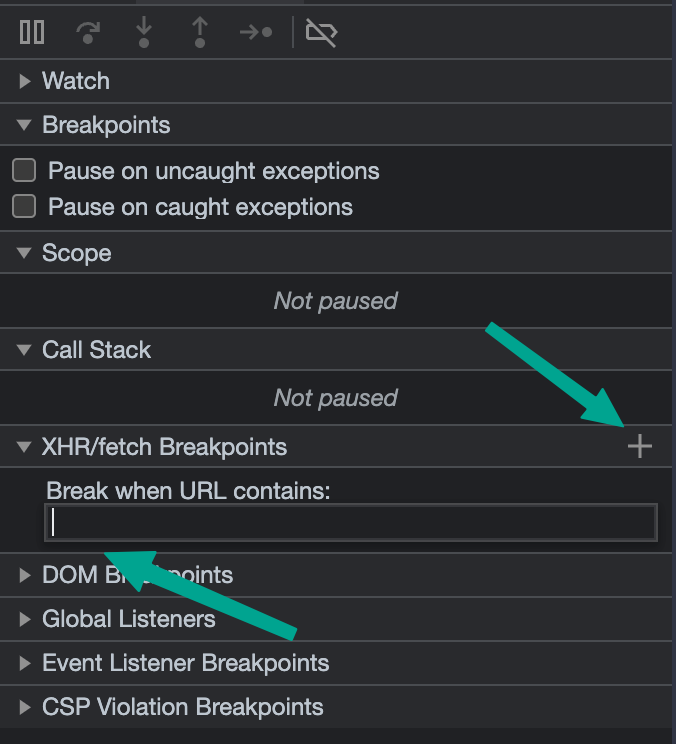
Use XHR/fetch Breakpoints!
Web debugging tools are so incredibly excellent these days. I remember the days where they didn't exist and debugging was a total nightmare, even for the simplest of problems. A while back I introduced many of you to Logpoints, a way to output...
![How to Open a Tor Brave Window from Command Line]()
How to Open a Tor Brave Window from Command Line
I love the Brave web browser for many reasons: ad blocking, Brave rewards, crypto integration, and even a Tor tab feature. I'll often use the Tor feature but wanted to know how I could automated opening Tor windows from command line.To open a Brave Tor...


![Detect Browser Bars Visibility with JavaScript]()
Detect Browser Bars Visibility with JavaScript
It's one thing to know about what's in the browser document, it's another to have insight as to the user's browser itself. We've gotten past detecting which browser the user is using, and we're now into knowing what pieces of the browser UI users are...
![Easy Asset Access with the Cloudinary Media Library Browser Extension]()
Easy Asset Access with the Cloudinary Media Library Browser Extension
Readers of my blog will know that I've been banging the Cloudinary drum for years. Their awesome media capabilities allow users to optimally deliver images, video, and audio in any format and to any device. Performance, customization, flexibility, optimized delivery... Cloudinary makes media better for...
![Use Logpoints!]()
Use Logpoints!
There's sometimes a tribal attitude about how web developers should be debugging their code and solving problems. There's the
console.logloyalists, then there's the debugger/breakpoint maximalists. I worked on the Firefox DevTools debugger for years and I can tell you my philosophy -- use...-
![Open a Browser Tab with DevTools Open by Default]()
Open a Browser Tab with DevTools Open by Default
Using command line flags is a great way to subtly improve productivity. Whether saving yourself keystrokes or enabling specific features, it's very much worth knowing the application flags available to you.To launch a new tab with DevTools in Chrome, you can use the
--auto-open-devtools-for-tabscommand...![JavaScript Picture-in-Picture API]()
JavaScript Picture-in-Picture API
As a huge fan of media on the web, I'm always excited about enhancements to how we can control our media. Maybe I get excited about simple things like the
<video>tag and its associated elements and attributes because media on the web started with custom...![Firefox Kiosk Mode]()
Firefox Kiosk Mode
As someone who loves the HTML and web APIs, I want to see them used in all different types of devices and mediums. Being that I work for the amazing Mozilla Corporation, seeing Firefox and the gecko web engine thrive in those spaces is important...

![designMode]()
designMode
Every once in a while I stumble upon an API or browser setting that I can't believe ever existed. Such examples can be seen in the numerous
String.prototypeproperties such asbold,italics, and evenblink, which wrap given string text in their representative HTML...![How to Add a User Stylesheet in Firefox]()
How to Add a User Stylesheet in Firefox
While many like to complain about CSS these days, it's important to remember how amazing CSS is; the CSS language is:easy to learneasy to readeasy to writesimple to understandWeb developers and designers alike love that CSS allows us to take text/media and present it in...