Tutorials Page 167
![Create a Simple Slideshow Using MooTools, Part IV: Thumbnails and Captions]()
Create a Simple Slideshow Using MooTools, Part IV: Thumbnails and Captions
My "Create a Simple Slideshow Using MooTools" series has been hugely successful. The first step was laying the groundwork for the slideshow, the second step was adding controls and events to the slideshow, and the third step was recoding the slideshow...
![NetTuts: Make Your MooTools Code Shorter, Faster, and Stronger]()
NetTuts: Make Your MooTools Code Shorter, Faster, and Stronger
My latest NetTuts tutorial has hit! From the post: MooTools is one of the most flexible, modular, and well written JavaScript frameworks available. So many people use it but many of them don't optimize their code. This post will...


![Create an Animated Sliding Button Using MooTools]()
Create an Animated Sliding Button Using MooTools
Buttons (or links) are usually the elements on our sites that we want to draw a lot of attention to. Unfortunately many times they end up looking the most boring. You don't have to let that happen though! I recently found a...
![Fancy FAQs with jQuery Sliders]()
Fancy FAQs with jQuery Sliders
Frequently asked questions can be super boring, right? They don't have to be! I've already shown you how to create fancy FAQs with MooTools -- here's how to create the same effect using jQuery. The HTML Simply a series of H3s and DIVs wrapper...
![Using MooTools ScrollSpy to Load More Items via JSON/AJAX]()
Using MooTools ScrollSpy to Load More Items via JSON/AJAX
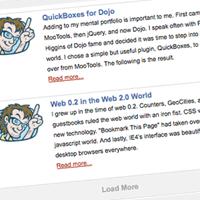
Last July I wrote an epic dominant unbelievable fantastic outstanding awesome NetTuts post called Create a Twitter-Like "Load More" Widget Using CSS, HTML, JSON, and jQuery or MooTools where I used a MooTools/AJAX/JSON system for loading additional items when the user clicks a "Load...
-
![Introducing MooTools ElementSpy]()
Introducing MooTools ElementSpy
One part of MooTools I love is the ease of implementing events within classes. Just add Events to your Implements array and you can fire events anywhere you want -- these events are extremely helpful. ScrollSpy and many other popular MooTools plugins would...
![Checkbox Filtering Using MooTools ElementFilter]()
Checkbox Filtering Using MooTools ElementFilter
When I first wrote MooTools ElementFilter, I didn't think much of it. Fast forward eight months later and I've realized I've used the plugin a billion times. Hell, even one of the "big 3" search engines is using it for their maps application.
![ID Your Body Using PHP]()
ID Your Body Using PHP
It seems like every part of a website needs to be dynamic. Dynamic, database-driven pages, dynamic JavaScript, dynamic CSS, etc. All this dynamism can make it difficult to style or script a page easily. One way I've learned to combat the rigidness of...

![Scrolling “Agree to Terms” Component with MooTools ScrollSpy]()
Scrolling “Agree to Terms” Component with MooTools ScrollSpy
Remember the good old days of Windows applications forcing you to scroll down to the bottom of the "terms and conditions" pane, theoretically in an effort ensure that you actually read them? You're saying "No David, don't do it." Too late -- I've done...
![Google-Style Element Fading Using MooTools or jQuery]()
Google-Style Element Fading Using MooTools or jQuery
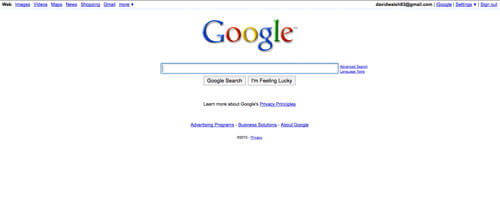
Google recently introduced an interesting effect to their homepage: the top left and top right navigation items don't display until you move your mouse or leave the search term box. Why? I can only speculate that they want their homepage as...