
Control Your Web Application’s Fluid.app Icon
By  on  

Fluip App

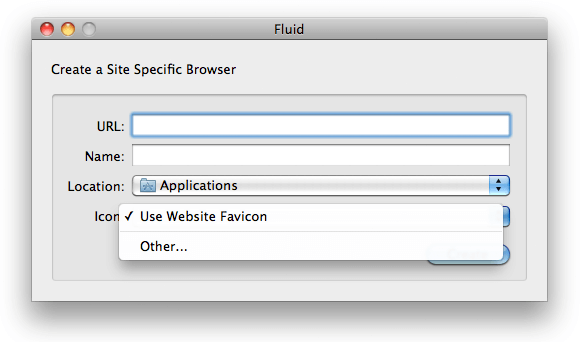
Fluid.app is an nice Mac application for creating desktop applications that wrap a web application. All you need to do is give Fluid.app a URL and a name, and the application generates a .app file within the Applications directory. One other piece of information you can give Fluid.app is the application icon; the default icon being the website's favicon. If you have a web application which could act as it's own desktop application, it's good to be aware that some users may be creating .app's of your site. Did you know that there's a way that you can tell Fluid to use an alternate icon (other than the favicon) for the generated app? It's as easy as adding an additional LINK tag:

<link rel="fluid-icon" href="https://github.com/fluidicon.png" title="GitHub" />

Set the rel to fluid-icon, the href to the high-res image location, and the title to the proposed application title and you're done! Check out GitHub's source to see this tag in "real world" action!

I love when I spot tiny snippets like this that help to enrich your website whilst not taking a lot of time to implement. Other such tips include Facebook Open Graph tags, META Tags to Bookmark Sites on IOS, Overriding XP and Windows themes, and Chrome Frame activation.


Recent Features

  • By
    JavaScript Promise API

    While synchronous code is easier to follow and debug, async is generally better for performance and flexibility. Why "hold up the show" when you can trigger numerous requests at once and then handle them when each is ready?  Promises are becoming a big part of the JavaScript world...

  • By
    How to Create a Twitter Card

    One of my favorite social APIs was the Open Graph API adopted by Facebook.  Adding just a few META tags to each page allowed links to my article to be styled and presented the way I wanted them to, giving me a bit of control...

Incredible Demos

  • By
    Digg-Style Dynamic Share Widget Using MooTools

    I've always seen Digg as a very progressive website. Digg uses experimental, ajaxified methods for comments and mission-critical functions. One nice touch Digg has added to their website is their hover share widget. Here's how to implement that functionality on your site...

  • By
    Create Custom Events in MooTools 1.2

    Javascript has a number of native events like "mouseover," "mouseout", "click", and so on. What if you want to create your own events though? Creating events using MooTools is as easy as it gets. The MooTools JavaScript What's great about creating custom events in MooTools is...

Discussion

  1. and what is the windows equivalent for the same ?

  2. Kristoffer

    Interestingly Google Chrome has this feature now – Create application shortcuts. It uses link[rel="icon"].

Wrap your code in <pre class="{language}"></pre> tags, link to a GitHub gist, JSFiddle fiddle, or CodePen pen to embed!


