Usability / Accessibility Tutorials
![JavaScript Copy to Clipboard]()
JavaScript Copy to Clipboard
"Copy to clipboard" functionality is something we all use dozens of times daily but the client side API around it has always been lacking; some older APIs and browser implementations required a scary "are you sure?"-style dialog before the content would be copied to clipboard -- not great for...
![Accessibility Tip: Empty alt Attributes]()
Accessibility Tip: Empty alt Attributes
As mostly a self-taught developer, my impressions of best practices were self-formed, and over the years I've realized many of those impressions were incorrect or the standards associated with them had quickly changed. One small but important practice is the usage of
altattributes onimgtags, and I had thought...

![JavaScript Redirects and window.open]()
JavaScript Redirects and window.open
One of the sweet parts in the simplified HTML5 spec was allowing
Aelements to wrapDIVs and other block level elements. For too long we added JavaScript listeners andwindow.locationredirects when a wrappingAwould have probably sufficed. But there are also times when the wrappingAwouldn't work...![Accessibility and alt Attributes]()
Accessibility and alt Attributes
The
altattribute is important for a number of reasons: it describes an image for screen readers used by those without sight or poor sight, it describes the image to bots, and it provides an indicator of what should have loaded if the image fails to...![Create Keyboard Shortcuts with Mousetrap]()
Create Keyboard Shortcuts with Mousetrap
Some of the finest parts of web apps are hidden in the little things. These "small details" can often add up to big, big gains. One of those small gains can be found in keyboard shortcuts. Awesome web apps like Gmail and GitHub use loads of...
-
![Smooth Scrolling with MooTools Fx.SmoothScroll]()
Smooth Scrolling with MooTools Fx.SmoothScroll
I get quite a few support requests for my previous MooTools SmoothScroll article and the issue usually boils down to the fact that SmoothScroll has become Fx.SmoothScroll. Here's a simple usage of Fx.SmoothScroll. The HTML The only HTML requirement for Fx.SmoothScroll is that all named...
![Checkbox Filtering Using MooTools ElementFilter]()
Checkbox Filtering Using MooTools ElementFilter
When I first wrote MooTools ElementFilter, I didn't think much of it. Fast forward eight months later and I've realized I've used the plugin a billion times. Hell, even one of the "big 3" search engines is using it for their maps application.
![iPhone-Style Passwords Using MooTools PassShark]()
iPhone-Style Passwords Using MooTools PassShark
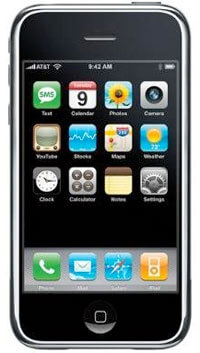
Every once in a while I come across a plugin that blows me out of the water and the most recent culprit is PassShark: a MooTools plugin that duplicates the iPhone's method of showing/hiding the last character in a password field. This gem of...

![New York Times-Style Text Selection Widget Using MooTools or jQuery]()
New York Times-Style Text Selection Widget Using MooTools or jQuery
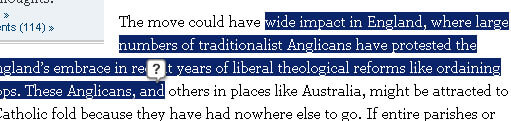
Aaron Newton made a great request to me last week: why not make my MooTools Documentation Bookmarklet function more like the New York Time's text selection widget. NYT's text selection widget listens for text selection and presents the user with a "search" icon...
![Form Element AJAX Spinner Attachment Using jQuery]()
Form Element AJAX Spinner Attachment Using jQuery
Yesterday I showed you how to attach an AJAX spinner next to a form element using my beloved MooTools. Today I'll show you how to implement that same functionality using jQuery. The XHTML Elements with the "ajax" CSS class will be our target. The jQuery JavaScript We inject...