How To Create A JavaScript Print Link
Oftentimes a novice web user wont think to do something unless they are presented with the option to do so. I've found this to be true of many of the websites I make. I've added "email to a friend" functionality to customer websites and traffic seems to increase (albeit a fraction, but every bit helps).
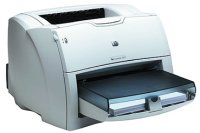
Some websites are helped by adding a JavaScript "print" link. If you have a page with a coupon, for example, or a page that acts as a promotional piece, I recommend adding a "print" link. Users will get your subtle message and that could mean increased business / traffic.
The Code
Some quick JavaScript in the "href" attribute of the anchor will accomplish this goal.
<a href="javascript:window.print();">Print</a>
Be sure not to put the JavaScript in the onClick attribute of the anchor -- not everyone clicks a link.
![Send Text Messages with PHP]()
Kids these days, I tell ya. All they care about is the technology. The video games. The bottled water. Oh, and the texting, always the texting. Back in my day, all we had was...OK, I had all of these things too. But I still don't get...
![CSS Gradients]()
With CSS border-radius, I showed you how CSS can bridge the gap between design and development by adding rounded corners to elements. CSS gradients are another step in that direction. Now that CSS gradients are supported in Internet Explorer 8+, Firefox, Safari, and Chrome...
![Create a Simple News Scroller Using Dojo]()
My journey into Dojo JavaScript has been exciting and I'm continuing to learn more as I port MooTools scripts to Dojo. My latest experiment is porting a simple new scroller from MooTools to Dojo. The code is very similar!
The HTML
The news items...
![Basic AJAX Requests Using MooTools 1.2]()
AJAX has become a huge part of the modern web and that wont change in the foreseeable future. MooTools has made AJAX so simple that a rookie developer can get their dynamic pages working in no time.
Step 1: The XHTML
Here we define two links...