
Create a Simple Slideshow Using MooTools, Part III: Creating a Class
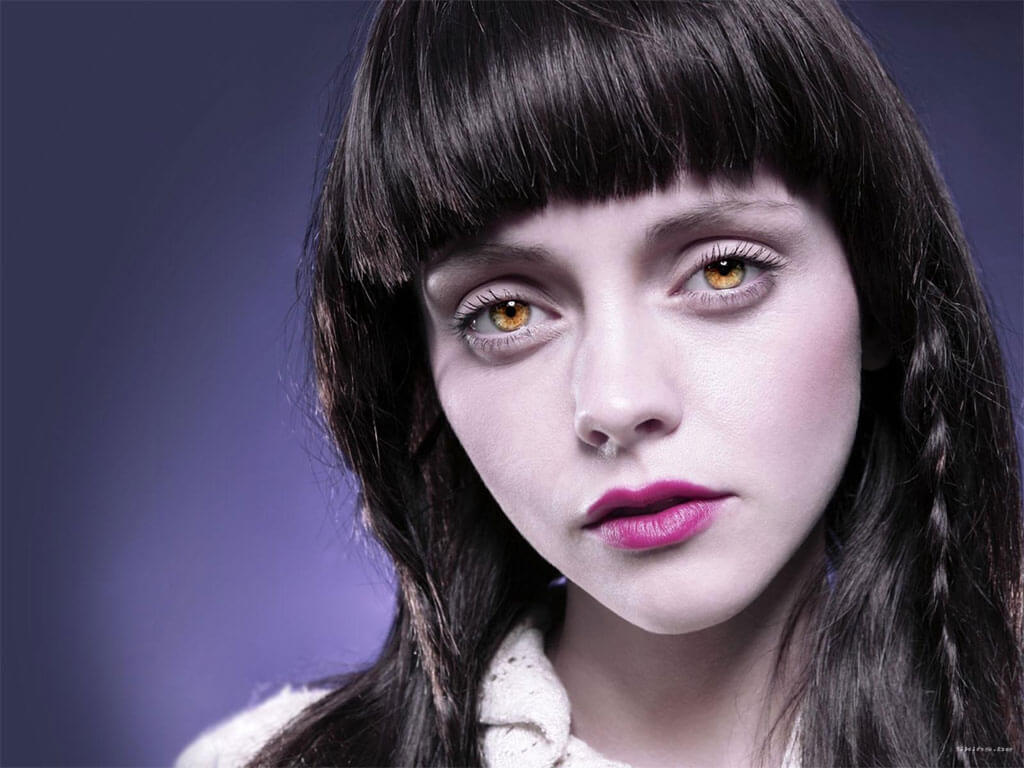
In my previous two slideshow posts, Create a Simple Slideshow Using MooTools and Create a Simple Slideshow Using MooTools, Part II: Controls and Events, I showed you how to create a slideshow using "inline" MooTools JavaScript. Today we'll take that code and transition it into a MooTools class.
The Original Inline Code
window.addEvent('domready',function() {
	/* settings */
	var showDuration = 3000;
	var container = $('slideshow-container');
	var images = container.getElements('img');
	var currentIndex = 0;
	var interval;
	var toc = [];
	var tocWidth = 20;
	var tocActive = 'toc-active';

	/* new: starts the show */
	var start = function() { interval = show.periodical(showDuration); };
	var stop = function() { $clear(interval); };
	/* worker */
	var show = function(to) {
		images[currentIndex].fade('out');
		toc[currentIndex].removeClass(tocActive);
		images[currentIndex = ($defined(to) ? to : (currentIndex < images.length - 1 ? currentIndex+1 : 0))].fade('in');
		toc[currentIndex].addClass(tocActive);
	};

	/* new: control: table of contents */
	images.each(function(img,i){
		toc.push(new Element('a',{
			text: i+1,
			href: '#',
			'class': 'toc' + (i == 0 ? ' ' + tocActive : ''),
			events: {
				click: function(e) {
					if(e) e.stop();
					stop();
					show(i);
				}
			},
			styles: {
				left: ((i + 1) * (tocWidth + 10))
			}
		}).inject(container));
		if(i > 0) { img.set('opacity',0); }
	});

	/* new: control: next and previous */
	var next = new Element('a',{
		href: '#',
		id: 'next',
		text: '>>',
		events: {
			click: function(e) {
				if(e) e.stop();
				stop(); show();
			}
		}
	}).inject(container);
	var previous = new Element('a',{
		href: '#',
		id: 'previous',
		text: '<<',
		events: {
			click: function(e) {
				if(e) e.stop();
				stop(); show(currentIndex != 0 ? currentIndex -1 : images.length-1);
			}
		}
	}).inject(container);

	/* new: control: start/stop on mouseover/mouseout */
	container.addEvents({
		mouseenter: function() { stop(); },
		mouseleave: function() { start(); }
	});

	/* start once the page is finished loading */
	window.addEvent('load',function(){
		start();
	});
});
We'll be starting from the above code which was used in the second post.
Step 1: Create a Basic Class Outline
The following MooTools Class template can be downloaded here.
var yourClass = new Class({

	//implements
	Implements: [Options],

	//options
	options: {
		yourOption: ''
	},

	//initialization
	initialize: function(options) {
		//set options
		this.setOptions(options);
	},

	//a method that does whatever you want
	yourMethod: function() {

	}

});
Step 2: Variables Become Options, Arguments
Remember that our class needs to be flexible (duh, that's the reason we create classes!). For that reason, we'll transition as many of the variables as we can into options for the class. Since the container and elements of the slideshow are mandatory (we can't create a slideshow without them!), we'll make those arguments.
var SimpleSlideshow = new Class({
	options: {
		showControls: true,
		showDuration: 3000,
		showTOC: true,
		tocWidth: 20,
		tocClass: 'toc',
		tocActiveClass: 'toc-active'
	},
	Implements: [Options,Events],
	initialize: function(container,elements,options) {
		//settings
		this.container = $(container);
		this.elements = $$(elements);
		this.currentIndex = 0;
		this.interval = '';
		if(this.options.showTOC) this.toc = [];

		//assign
		this.elements.each(function(el,i){
			if(this.options.showTOC) {
				this.toc.push(new Element('a',{
					text: i+1,
					href: '#',
					'class': this.options.tocClass + '' + (i == 0 ? ' ' + this.options.tocActiveClass : ''),
					events: {
						click: function(e) {
							if(e) e.stop();
							this.stop();
							this.show(i);
						}.bind(this)
					},
					styles: {
						left: ((i + 1) * (this.options.tocWidth + 10))
					}
				}).inject(this.container));
			}
			if(i > 0) el.set('opacity',0);
		},this);

		//next,previous links
		if(this.options.showControls) {
			this.createControls();

		}
		//events
		this.container.addEvents({
			mouseenter: function() { this.stop(); }.bind(this),
			mouseleave: function() { this.start(); }.bind(this)
		});

	},

//...
The usefulness of our class is largely dependent upon the options we bake into our plugin. Don't go overboard though -- it's easy to bloat your plugin by allowing for too many options.
Step 3: Functions Become Methods
This step is really easy: take the global functions we created (start, stop, etc.) and make them the methods within the class. The only big change in doing this will be changing variables references to "this.{variable}" or "this.options.{variable}".
//...
show: function(to) {
	this.elements[this.currentIndex].fade('out');
	if(this.options.showTOC) this.toc[this.currentIndex].removeClass(this.options.tocActiveClass);
	this.elements[this.currentIndex = ($defined(to) ? to : (this.currentIndex < this.elements.length - 1 ? this.currentIndex+1 : 0))].fade('in');
	if(this.options.showTOC) this.toc[this.currentIndex].addClass(this.options.tocActiveClass);
},
start: function() {
	this.interval = this.show.bind(this).periodical(this.options.showDuration);
},
stop: function() {
	$clear(this.interval);
}
//...
Step 4: Controls
We'll use another custom, private method to generate the code for the controls (next,previous):
//...
,
//"private"
createControls: function() {
	var next = new Element('a',{
		href: '#',
		id: 'next',
		text: '>>',
		events: {
			click: function(e) {
				if(e) e.stop();
				this.stop();
				this.show();
			}.bind(this)
		}
	}).inject(this.container);
	var previous = new Element('a',{
		href: '#',
		id: 'previous',
		text: '<<',
		events: {
			click: function(e) {
				if(e) e.stop();
				this.stop();
				this.show(this.currentIndex != 0 ? this.currentIndex -1 : this.elements.length-1);
			}.bind(this)
		}
	}).inject(this.container);
}
//...
Pulling It All Together
The following is our completed class:
var SimpleSlideshow = new Class({
	options: {
		showControls: true,
		showDuration: 3000,
		showTOC: true,
		tocWidth: 20,
		tocClass: 'toc',
		tocActiveClass: 'toc-active'
	},
	Implements: [Options,Events],
	initialize: function(container,elements,options) {
		//settings
		this.container = $(container);
		this.elements = $$(elements);
		this.currentIndex = 0;
		this.interval = '';
		if(this.options.showTOC) this.toc = [];

		//assign
		this.elements.each(function(el,i){
			if(this.options.showTOC) {
				this.toc.push(new Element('a',{
					text: i+1,
					href: '#',
					'class': this.options.tocClass + '' + (i == 0 ? ' ' + this.options.tocActiveClass : ''),
					events: {
						click: function(e) {
							if(e) e.stop();
							this.stop();
							this.show(i);
						}.bind(this)
					},
					styles: {
						left: ((i + 1) * (this.options.tocWidth + 10))
					}
				}).inject(this.container));
			}
			if(i > 0) el.set('opacity',0);
		},this);

		//next,previous links
		if(this.options.showControls) {
			this.createControls();

		}
		//events
		this.container.addEvents({
			mouseenter: function() { this.stop(); }.bind(this),
			mouseleave: function() { this.start(); }.bind(this)
		});

	},
	show: function(to) {
		this.elements[this.currentIndex].fade('out');
		if(this.options.showTOC) this.toc[this.currentIndex].removeClass(this.options.tocActiveClass);
		this.elements[this.currentIndex = ($defined(to) ? to : (this.currentIndex < this.elements.length - 1 ? this.currentIndex+1 : 0))].fade('in');
		if(this.options.showTOC) this.toc[this.currentIndex].addClass(this.options.tocActiveClass);
	},
	start: function() {
		this.interval = this.show.bind(this).periodical(this.options.showDuration);
	},
	stop: function() {
		$clear(this.interval);
	},
	//"private"
	createControls: function() {
		var next = new Element('a',{
			href: '#',
			id: 'next',
			text: '>>',
			events: {
				click: function(e) {
					if(e) e.stop();
					this.stop();
					this.show();
				}.bind(this)
			}
		}).inject(this.container);
		var previous = new Element('a',{
			href: '#',
			id: 'previous',
			text: '<<',
			events: {
				click: function(e) {
					if(e) e.stop();
					this.stop();
					this.show(this.currentIndex != 0 ? this.currentIndex -1 : this.elements.length-1);
				}.bind(this)
			}
		}).inject(this.container);
	}
});
...and the usage:
/* usage */
window.addEvent('domready',function() {
	var slideshow = new SimpleSlideshow('slideshow-container','#slideshow-container img');
	slideshow.start();
});
MooTools Classes FTW!
Now we have a reusable, flexible MooTools class that you can use on any website you create. Hell, you could even share it on the Forge for all to use! How was it? Any questions about creating MooTools classes?






Hi david,
cool thingy! Just wondered about this text that’s in dark-yellow above the slideshow demo:
“Sit back and enjoy the simple slideshow featuring Christina Ricci below.”
So I sat back and waited, and anticipated, and waited some more… But nothing happened ;-) Clicking the buttons did the trick, I just assumed reading the text that the slideshow would start automagically and loop endless pictures of the beautiful Miss Ricci in front of my globules.
But alas, maybe a challenge for the next post?
@Sebastiaan: No, there’s a funky thing going on — fixing now….
Bind with care people…bind with care.
The possibility of using divs & html code instead of images please :X
@Ahmed:
var slideshow = new SimpleSlideshow('slideshow-container','#slideshow-container div');Great stuff David, learnt so much from these three tutorials!
through up some naked pics of this chick…
+1 for Champ’s suggestion
Google images is a goldmine, my friends.
The thread suddenly died…wonder if they’re all off at Google images? :P
Thanks david, you are a star, Now I am going to change this from fadein and out to slide from any direction. would you please give me some idea, how to do that. do I need to use fx.slide class?
Thanks in advance
Great set of tutorials. It really helps starting with a simple code and building from there. Hope to see more series like that here. Thanks again David.
Awesome, i have learn so much from these tutorials please share some more useful tutorials regarding to css.
David, thanks for this great work and all the other inspirations you give!
Thanks for this light SlideShow, brilliant!
Optionsdidn’t work for me, I had to add:Thanks for finding this, was wondering why I couldn’t override the options.
Just woundering but is there a way to make the next previous buttons images? And maybe even change the image numbers to images??
Nice work David for sure. I have been using for a little while and just realised I can’t get a second slideshow on the page (different div’s)- is this a limitation of the script or of my implementation of it?
it it can be done would it be rude of me to ask for an example snippet?
thanks DW,
pS
okay, I have two slideshows on the page now :) – sorry for the sillyness
Hey David,
I love your series of tutorials regarding the use of MooTools to create slide shows. I have been experimenting with your code for about a week. It has aided me to no end in my understanding of MooTools. Currently, I am attempting to combine the class example above with the inline auto captioning example you laid out earlier in this series. However, when “show” fires off, I get a “captionDIV Undefined” error kicked back at me. I assume it is a
thisassignment issue, but can’t seem to work my way around it. Here is the class code://class based var SimpleSlideshow = new Class({ options: { showControls: false, showDuration: 3000, showTOC: false, showCaption: true, tocWidth: 20, tocClass: 'toc', tocActiveClass: 'toc-active' }, Implements: [Options,Events], initialize: function(container,elements,options) { //settings this.setOptions(options); this.container = $(container); this.elements = $$(elements); this.currentIndex = 0; this.interval = ''; if(this.options.showTOC) this.toc = []; if(this.options.showCaption) this.captionDIV = ''; //assign this.elements.each(function(el,i){ if(this.options.showTOC) { this.toc.push(new Element('a',{ text: i+1, href: '#', 'class': this.options.tocClass + '' + (i == 0 ? ' ' + this.options.tocActiveClass : ''), events: { click: function(e) { if(e) e.stop(); this.stop(); this.show(i); }.bind(this) }, styles: { left: ((i + 1) * (this.options.tocWidth + 10)) } }).inject(this.container)); } if(i > 0) el.set('opacity',0); },this); //next,previous links if(this.options.showControls) { this.createControls(); } if(this.options.showCaption) { this.createCaption() } //events this.container.addEvents({ mouseenter: function() { this.stop(); }.bind(this), mouseleave: function() { this.start(); }.bind(this) }); }, show: function(to) { this.elements[this.currentIndex].fade('out'); if(this.options.showTOC) this.toc[this.currentIndex].removeClass(this.options.tocActiveClass); this.elements[this.currentIndex = ($defined(to) ? to : (this.currentIndex < this.elements.length - 1 ? this.currentIndex+1 : 0))].fade('in'); if(this.options.showTOC) this.toc[this.currentIndex].addClass(this.options.tocActiveClass); if(this.options.showCaption) { this.captionDIV.set('tween',{ onComplete: function() { this.captionDIV.set('tween',{ onComplete: $empty }).tween('height',captionHeight); // parse caption var title = ''; var captionText = ''; if(this.elements[this.currentIndex].get('alt')) { var cap = this.elements[this.currentIndex].get('alt').split('::'); this.title = cap[0]; this.captionText = cap[1]; this.captionDIV.set('html','' + this.title + '' + (this.captionText ? '' + this.captionText + '' : '')); } } }).tween('height',0); } }, start: function() { this.interval = this.show.bind(this).periodical(this.options.showDuration); }, stop: function() { $clear(this.interval); }, //"private" createControls: function() { var next = new Element('a',{ href: '#', id: 'next', text: '>>', events: { click: function(e) { if(e) e.stop(); this.stop(); this.show(); }.bind(this) } }).inject(this.container); var previous = new Element('a',{ href: '#', id: 'previous', text: '<<', events: { click: function(e) { if(e) e.stop(); this.stop(); this.show(this.currentIndex != 0 ? this.currentIndex -1 : this.elements.length-1); }.bind(this) } }).inject(this.container); }, //"private" createCaption: function() { this.captionDIV = new Element('div',{ id: 'slideshow-container-caption', styles: { //display:none, opacity: 0.7, } }).inject(this.container); var this.captionHeight = this.captionDIV.getSize().y; this.captionDIV.setStyle('height',10); } });Thoughts?
Hello David:
Seems like doesn’t work with mootools core 1.3.0
Apparently the fail is in line 56:
this.elements[this.currentIndex].fade('out');I hope it helps to fix it.
Try this:
$(this.elements[this.currentIndex]).fade(‘out’);Thank you David. Still not working, but there is change (and change is good).
In Chrome works perfectly, but in Firefox and Explorer doesn’t.
The Firebug says:
$(this.elements[this.currentIndex = $defined(to) ? to : this.currentIndex < this.elements.length – 1 ? this.currentIndex + 1 : 0]) is null
http://www.anahuacmayab.mx/js/SimpleSlideshow/SimpleSlideshow.js
Line 58
$(this.elements[this.currentIndex]) is null
http://www.anahuacmayab.mx/js/SimpleSlideshow/SimpleSlideshow.js
Line 56
The first loop works good, and then the images disappear and I got two errors on line 58, and then an error on line 56 for each loop of the method "show".
I have two instances running on the same page. Could that be the reason?
Thank you in advance, and have a merry Chrismass and a new year full of blessings.
I’m having the exact same problem with the slideshow in Firefox.
It seems to be the “to” variable messing it up (for me at least) if I remove that and put this line instead:
this.elements[this.currentIndex = (this.currentIndex < this.elements.length - 1 ? this.currentIndex+1 : 0)].fade('in');it seems to work ok, obviously without the go to slide function working correctly.
Any thoughts why this is happening?
I’m fine using Mootools 1.2.5 just now, but am curious as to why 1.3 doesn’t like it.
Thanks so much for the tutes! but i just can’t get it working with multiple slideshows on the same page. Please could you give me a pointer, ta. 0
People can’t help if you don’t post code somewhere.
Hi David,
Very nice for sharing this code. I was wondering (because I really don’t have any experience with this code) is it is possible to generate the controls (now 1, 2, 3, etc) with predefined text?
Hey,
Really nice script, pretty easy to edit too! I’ve noticed on small annoyance with it though, I was hoping you could help figure it out. Because there is no delay between the fade actions (both fades happening at the same time), there seems to be a transparent point where the background behind the images becomes visible. I think the way it should work is the new image could be faded over the top of the previous, then once that is complete the old one is just hidden. I don’t think it’s as easy as it sounds… Can you help?
Thankyou!
David, I just want to say I am loving your blog right now! I have been turned over to mootools as I decided it is the perfect JS framework for me vs. any others, especially since I care about understanding JS.
I love this code….so flexible and powerful! Thanks a ton.
These slideshow tutorials rock.
Great tutorial, easily the most concise version I have seen in Part 1, brilliant work. I have definitely become a fan of your site.
Part 2 and Part 3 examples do not seem to be working IE9 and running IE tester left a lot errors also. Any plans on fixing this to work cross platform?
Part 1 worked fine in IE.
After reading all 3 sections & the comments it seems like many people are requesting duration controls for the speed of the fade in/out function. I think it would be a nice addition to your fantastic tutorial.
Thank you David.
I’ve tried to integrate it with joomla. It works fine on my localhost now but it hangs if I put it on my VPS. What should I do?
this may well be a path issue
or server settings dis-corelation (or php version)
It can’t be. I forgot to mention that it works fine on my VPS via Chrome but it doesn’t work on my VPS and firefox. On my localhost it works in all browsers. It’s very weird. I have never heard of a problem like this. Please help me, it’s important.
i use mootools 1.3.2 compact and work out of box, very thanks!
For Joe, and everybody who asked for a DURATION of the FADE effect. And of course for David if he wants to add my contribution in his original script.
I played around with Mootools and Firebug, finally i found a solution (tested and working in Firefox, Chrome, Safari, IE7). More tests are welcome.
Sadly i noticed that Mootools does not support the “duration” in the function fade(). More in detail: the fade(‘in’) function is working using the following code, but not the fade(‘out’):
.set('tween', {duration: 3000}).fade('in');Fade out just ignores the duration of the tween, and the opacity goes to ‘0’ in no time (i wonder why).
So i thought to skip both functions and do them from scratches, using the tweens to change “Opacity”. A 3 seconds of transition like this:
// instead of fade('out') i use this:
.set('tween', {duration: 3000}).tween('opacity', 1, 0);

//instead of fade('in') i use this:
.set('tween', {duration: 3000}).tween('opacity', 0, 1);
These are working but i found some issues again. In Firebug i can see that the styles of the images have “opacity” and “visibility” attributes, so we have the annoying “visibility:hidden” that is messing up things. Actually the tweens are not setting “visibility:visible”, so the images never show up.
So i fixed the behaviour modifying the code when David sets all images to “opacity:0”. I removed the visibility style, this way:
if(i > 0) el.set('opacity',0).setStyle('visibility', null);I know it is not really smart to set both opacity and visibility, and then remove visibility, but this code is working for me.
So i finished the script adding my option “fadeDuration” together with the others, also, i added a start() function in the buttons, so the interval starts again after clicking (attention that in my code has little differences, i commented the “mouseenter” and “mouseleave” events, because i wanted the slideshow always running).
And here is the final code, enjoy:
var SimpleSlideshow = new Class({ options: { showControls: true, showDuration: 5000, fadeDuration: 3000, showTOC: true, tocWidth: 20, tocClass: 'toc', tocActiveClass: 'toc-active' }, Implements: [Options,Events], initialize: function(container,elements,options) { //settings this.container = $(container); this.elements = $$(elements); this.currentIndex = 0; this.interval = ''; if(this.options.showTOC) this.toc = []; //assign this.elements.each(function(el,i){ if(this.options.showTOC) { this.toc.push(new Element('a',{ text: i+1, href: '#', 'class': this.options.tocClass + '' + (i == 0 ? ' ' + this.options.tocActiveClass : ''), events: { click: function(e) { if(e) e.stop(); this.stop(); this.show(i); this.start(); }.bind(this) }, styles: { left: ((i + 1) * (this.options.tocWidth + 10)) } }).inject(this.container)); } if(i > 0) el.set('opacity',0).setStyle('visibility', null); },this); //next,previous links if(this.options.showControls) { this.createControls(); } //events this.container.addEvents({ //mouseenter: function() { this.stop(); }.bind(this), //mouseleave: function() { this.start(); }.bind(this) }); }, show: function(to) { this.elements[this.currentIndex].set('tween', {duration: this.options.fadeDuration}).tween('opacity', 1, 0); if(this.options.showTOC) this.toc[this.currentIndex].removeClass(this.options.tocActiveClass); this.elements[this.currentIndex = ($defined(to) ? to : (this.currentIndex >', events: { click: function(e) { if(e) e.stop(); this.stop(); this.show(); this.start(); }.bind(this) } }).inject(this.container); var previous = new Element('a',{ href: '#', id: 'previous', text: '<<', events: { click: function(e) { if(e) e.stop(); this.stop(); this.show(this.currentIndex != 0 ? this.currentIndex -1 : this.elements.length-1); this.start(); }.bind(this) } }).inject(this.container); } });Sorry for the bad text in my previous post, i had it well formatted in the textarea, not sure why it is so messy. :(
The code above is all broken, so i give you only the modified parts, do this:
In “options”, find:
and replace with:
Then in “initialize”, find:
if(i > 0) el.set('opacity',0);and replace with:
if(i > 0) el.set('opacity',0).setStyle('visibility', null);now about fading transitions go in “show” function and find:
.fade('out');and replace with:
.set('tween', {duration: this.options.fadeDuration}).tween('opacity', 1, 0);then find:
.fade('in');and replace with:
.set('tween', {duration: this.options.fadeDuration}).tween('opacity', 0, 1);Then, the following part is optional, if you want the slideshow always running with mouse over (like i do), comment or remove this part:
this.container.addEvents({
	mouseenter: function() { this.stop(); }.bind(this),
	mouseleave: function() { this.start(); }.bind(this)
});
Doing so, you need to fix the buttons, adding
at the end of the click event. I show you in the following parts:
click: function(e) {
	if(e) e.stop();
	this.stop();
	this.show(i);
	this.start();
}.bind(this)
…then…
click: function(e) {
	if(e) e.stop();
	this.stop();
	this.show();
	this.start();
}.bind(this)
…and finally this…
click: function(e) {
	if(e) e.stop();
	this.stop();
	this.show(this.currentIndex != 0 ? this.currentIndex -1 : this.elements.length-1);
	this.start();
}.bind(this)
That’s all. Now i hope this code will show better… cross fingers ;).