Submit Button Enabling
"Enabling" you ask? Yes. We all know how to disable the submit upon form submission and the reasons for doing so, but what about re-enabling the submit button after an allotted amount of time. After all, what if the user presses the "stop" button immediately after submitting the form? They'd be screwed. Why not re-enable the submit button after an allotted amount of time so that the user may re-submit?
The MooTools JavaScript
window.addEvent('domready',function() {
		var subber = $('submit');
		subber.addEvent('click',function() {
			subber.set('value','Submitting...').disabled = true;
			(function() { subber.disabled = false; subber.set('value','Resubmit'); }).delay(10000); // how much time?  10 seconds
		});
	});
Of course, this isn't ideal in all situations. It is, however, a nice touch if your system can accommodate for it.
Update: Upon submission, the button's message changes to "submitting..." and once enabled, the message changes to "Resubmit." Thank you to Facundo Corradini for the suggestion!
![Write Better JavaScript with Promises]()
You've probably heard the talk around the water cooler about how promises are the future. All of the cool kids are using them, but you don't see what makes them so special. Can't you just use a callback? What's the big deal? In this article, we'll...
![9 More Mind-Blowing WebGL Demos]()
With Firefox OS, asm.js, and the push for browser performance improvements, canvas and WebGL technologies are opening a world of possibilities. I featured 9 Mind-Blowing Canvas Demos and then took it up a level with 9 Mind-Blowing WebGL Demos, but I want to outdo...
![Create a Context Menu with Dojo and Dijit]()
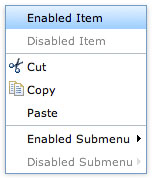
Context menus, used in the right type of web application, can be invaluable. They provide shortcut methods to different functionality within the application and, with just a right click, they are readily available. Dojo's Dijit frameworks provides an easy way to create stylish, flexible context...
![Duplicate the jQuery Homepage Tooltips Using Dojo]()
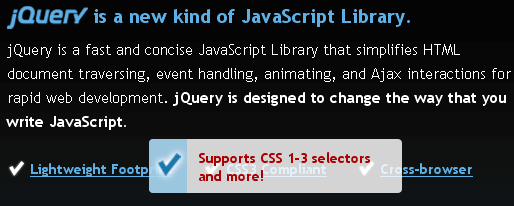
The jQuery homepage has a pretty suave tooltip-like effect as seen below:
Here's how to accomplish this same effect using Dojo.
The XHTML
The above HTML was taken directly from the jQuery homepage -- no changes.
The CSS
The above CSS has been slightly modified to match the CSS rules already...