Submit Button Enabling
"Enabling" you ask? Yes. We all know how to disable the submit upon form submission and the reasons for doing so, but what about re-enabling the submit button after an allotted amount of time. After all, what if the user presses the "stop" button immediately after submitting the form? They'd be screwed. Why not re-enable the submit button after an allotted amount of time so that the user may re-submit?
The MooTools JavaScript
window.addEvent('domready',function() {
		var subber = $('submit');
		subber.addEvent('click',function() {
			subber.set('value','Submitting...').disabled = true;
			(function() { subber.disabled = false; subber.set('value','Resubmit'); }).delay(10000); // how much time?  10 seconds
		});
	});
Of course, this isn't ideal in all situations. It is, however, a nice touch if your system can accommodate for it.
Update: Upon submission, the button's message changes to "submitting..." and once enabled, the message changes to "Resubmit." Thank you to Facundo Corradini for the suggestion!
![Create Namespaced Classes with MooTools]()
MooTools has always gotten a bit of grief for not inherently using and standardizing namespaced-based JavaScript classes like the Dojo Toolkit does. Many developers create their classes as globals which is generally frowned up. I mostly disagree with that stance, but each to their own. In any event...
![Create a Sheen Logo Effect with CSS]()
I was inspired when I first saw Addy Osmani's original ShineTime blog post. The hover sheen effect is simple but awesome. When I started my blog redesign, I really wanted to use a sheen effect with my logo. Using two HTML elements and...
![Animated Progress Bars Using MooTools: dwProgressBar]()
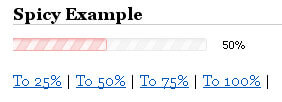
I love progress bars. It's important that I know roughly what percentage of a task is complete. I've created a highly customizable MooTools progress bar class that animates to the desired percentage.
The Moo-Generated XHTML
This DIV structure is extremely simple and can be controlled...
![Fx.Rotate: Animated Element Rotation with MooTools]()
I was recently perusing the MooTools Forge and I saw a neat little plugin that allows for static element rotation: Fx.Rotate. Fx.Rotate is an extension of MooTools' native Fx class and rotates the element via CSS within each A-grade browser it...