Script & Style Show on iTunes!
Last year Todd Gardner of TrackJS and I debuted our YouTube web show (podcast): The Script & Style Show. It was an amazing first year of guests, including Chris Coyier, Kyle Simpson, Jason Laster, Max Lynch, Dylan Schiemann, and more! And the show will only get better!
I'm happy to announce a few new places you can find the Script & Style show:
Thank you to everyone for listening and look forward to new episodes every few weeks!

![fetch API]()
One of the worst kept secrets about AJAX on the web is that the underlying API for it, XMLHttpRequest, wasn't really made for what we've been using it for. We've done well to create elegant APIs around XHR but we know we can do better. Our effort to...
![CSS Animations Between Media Queries]()
CSS animations are right up there with sliced bread. CSS animations are efficient because they can be hardware accelerated, they require no JavaScript overhead, and they are composed of very little CSS code. Quite often we add CSS transforms to elements via CSS during...
![JavaScript Speech Recognition]()
Speech recognition software is becoming more and more important; it started (for me) with Siri on iOS, then Amazon's Echo, then my new Apple TV, and so on. Speech recognition is so useful for not just us tech superstars but for people who either want to work "hands...
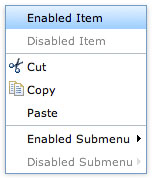
![Create a Context Menu with Dojo and Dijit]()
Context menus, used in the right type of web application, can be invaluable. They provide shortcut methods to different functionality within the application and, with just a right click, they are readily available. Dojo's Dijit frameworks provides an easy way to create stylish, flexible context...