
My 10 Most Popular Articles
I was browsing through my Google Analytics web stats and I thought it would be fun put together a post with my 10 most popular articles! The topics range from opinion to CSS to jQuery and to MooTools. I hope you have as much fun reading them as I had writing them.
1. 9 Signs Not to Hire THAT Web Guy
My employer specializes in creating websites for middle-sized businesses. We rarely create "Mom'n'Pops" websites and generally don't pursue contracts with major corporations. Working with mid-size business has given me the opportunity to speak with executives and "decision-makers" within each business. Our discussions eventually end up with the other person telling me about their previous web developers and how their current site is ineffective as a sales tool or representation of the business. There are some definitive characteristics about my customers' previous web persons and without further adieu, I give you 9 signs you shouldn't hire THAT web guy...
2. MooTools 1.2 Tooltips: Customize Your Tips
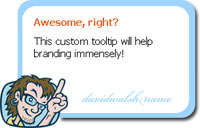
Tooltips can also provide another method of website branding. Why throw a vanilla tooltip to the user when you can brand your website? MooTools 1.2 provides a Tips plugin that allows for easy-to-customize tooltips. Let me show you how to create a sweet, branded tooltip.
3. Build a Slick and Simple MooTools Accordion

In speaking with designers, I frequently hear how much they'd like to use an accordion on their site but they think it's either too time-consuming or that they don't have the ability to code JavaScript. Not true! To prove my point, I'll use a little MooTools magic and some easy XHTML / CSS to accomplish a slick accordion effect.
4. Advanced CSS Printing -- Using CSS Page Breaks
Needless to say, I've learned quite a few tricks to making a website print properly. I've already shared methods for making your website content printer-friendly, as well as making your website structure printer-friendly. One important aspect of making your pages printer-friendly is using CSS/XHTML page breaks.
5. Basic AJAX Calls Using MooTools 1.2
AJAX has become a huge part of the modern web and that wont change in the foreseeable future. MooTools has made AJAX so simple that a rookie developer can get their dynamic pages working in no time.
6. An Open Letter to You, Webmaster
I write a honest, touching letter to Webmaster.
7. Animated Progress Bars Using MooTools
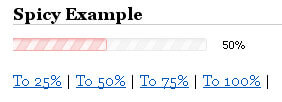
I love progress bars. It's important that I know roughly what percentage of a task is complete. I've created a highly customizable MooTools progress bar class that animates to the desired percentage.
8. Get Slick with MooTools Kwicks

When it came time for my employer to redo their website, I made it my goal to really jazz up the site with MooTools. Nothing too fancy and nothing too bright, just some simple effects that show attention to detail and a little bit of fun. I then thought it was the time to use MooTools "kwicks" to give the website a little kick.
9. jQuery Link Nudging
A while back I wrote an article about MooTools Link Nudging, which is essentially a classy, subtle link animation achieved by adding left padding on mouseover and removing it on mouseout. Here's how to do it using jQuery.
10. Facebook Sliders with MooTools and CSS

One of the great parts of being a developer that uses Facebook is that I can get some great ideas for progressive website enhancement. Facebook incorporates many advanced JavaScript and AJAX features: photo loads by left and right arrow, dropdown menus, modal windows, and the slider. A slider allows the user to drag a slider across a given plain to set a value instead of the boring, tedious text box. I've created a very simple 3-slider system that allows a user to modify the height, width, and opacity of an image using just sliders!





I think you intended for us to read this list backwards because you think that girl is absolutely hot.
Christina Ricci FTW!
Wanted to say congrats and thanx. Your articles are always useful and well written. Looking forward to some more good stuff :)
d.
No need to say it’s among the 3 best sites I know out there about web design. [I’ve said it . . .]
Could you please post an article ( if not yet, I couldn’t find it ) about writing cross browser CSS code.
Thanx a lot