Submit Button Enabling
"Enabling" you ask? Yes. We all know how to disable the submit upon form submission and the reasons for doing so, but what about re-enabling the submit button after an allotted amount of time. After all, what if the user presses the "stop" button immediately after submitting the form? They'd be screwed. Why not re-enable the submit button after an allotted amount of time so that the user may re-submit?
The MooTools JavaScript
window.addEvent('domready',function() {
		var subber = $('submit');
		subber.addEvent('click',function() {
			subber.set('value','Submitting...').disabled = true;
			(function() { subber.disabled = false; subber.set('value','Resubmit'); }).delay(10000); // how much time?  10 seconds
		});
	});
Of course, this isn't ideal in all situations. It is, however, a nice touch if your system can accommodate for it.
Update: Upon submission, the button's message changes to "submitting..." and once enabled, the message changes to "Resubmit." Thank you to Facundo Corradini for the suggestion!
![Camera and Video Control with HTML5]()
Client-side APIs on mobile and desktop devices are quickly providing the same APIs. Of course our mobile devices got access to some of these APIs first, but those APIs are slowly making their way to the desktop. One of those APIs is the getUserMedia API...
![How to Create a Twitter Card]()
One of my favorite social APIs was the Open Graph API adopted by Facebook. Adding just a few META tags to each page allowed links to my article to be styled and presented the way I wanted them to, giving me a bit of control...
![Duplicate the jQuery Homepage Tooltips Using MooTools]()
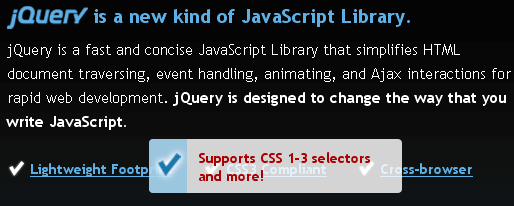
The jQuery homepage has a pretty suave tooltip-like effect as seen below:
Here's how to accomplish this same effect using MooTools.
The XHTML
The above XHTML was taken directly from the jQuery homepage -- no changes.
The CSS
The above CSS has been slightly modified to match the CSS rules already...
![jQuery Chosen Plugin]()
Without a doubt, my least favorite form element is the SELECT element. The element is almost unstylable, looks different across platforms, has had inconsistent value access, and disaster that is the result of multiple=true is, well, a disaster. Needless to say, whenever a developer goes...