Submit Button Enabling
"Enabling" you ask? Yes. We all know how to disable the submit upon form submission and the reasons for doing so, but what about re-enabling the submit button after an allotted amount of time. After all, what if the user presses the "stop" button immediately after submitting the form? They'd be screwed. Why not re-enable the submit button after an allotted amount of time so that the user may re-submit?
The MooTools JavaScript
window.addEvent('domready',function() {
		var subber = $('submit');
		subber.addEvent('click',function() {
			subber.set('value','Submitting...').disabled = true;
			(function() { subber.disabled = false; subber.set('value','Resubmit'); }).delay(10000); // how much time?  10 seconds
		});
	});
Of course, this isn't ideal in all situations. It is, however, a nice touch if your system can accommodate for it.
Update: Upon submission, the button's message changes to "submitting..." and once enabled, the message changes to "Resubmit." Thank you to Facundo Corradini for the suggestion!
![LightFace: Facebook Lightbox for MooTools]()
One of the web components I've always loved has been Facebook's modal dialog. This "lightbox" isn't like others: no dark overlay, no obnoxious animating to size, and it doesn't try to do "too much." With Facebook's dialog in mind, I've created LightFace: a Facebook lightbox...
![Regular Expressions for the Rest of Us]()
Sooner or later you'll run across a regular expression. With their cryptic syntax, confusing documentation and massive learning curve, most developers settle for copying and pasting them from StackOverflow and hoping they work. But what if you could decode regular expressions and harness their power? In...
![Control Element Outline Position with outline-offset]()
I was recently working on a project which featured tables that were keyboard navigable so obviously using cell outlining via traditional tabIndex=0 and element outlines was a big part of allowing the user navigate quickly and intelligently. Unfortunately I ran into a Firefox 3.6 bug...
![MooTools ContextMenu Plugin]()
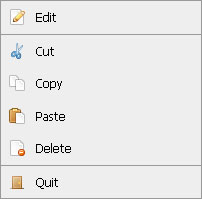
ContextMenu is a highly customizable, compact context menu script written with CSS, XHTML, and the MooTools JavaScript framework. ContextMenu allows you to offer stylish, functional context menus on your website.
The XHTML Menu
Use a list of menu items with one link per item. The...