
Node.js Roku Remote
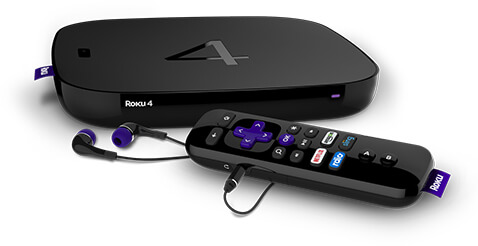
I own an Apple TV 4, Apple TV 3, Roku 4, Chromecast, and a Firefox OS TV. From that you can probably gather that I love streaming content, particularly sports and movies. I obviously also love coding, which is why I loved being a Partner Engineer for Mozilla's Firefox OS TV -- I was enthusiastically testing out TV apps and exploring edge APIs and responsive techniques.
I'm always interested in finding a way to do interesting stuff with JavaScript and streaming instantly hit me. I can't do anything with a closed ecosystem Apple TV but there are known ways of working with a Roku so I set out to do something interesting with the Roku and Node.js -- create remote control functionality.
Node.js Roku Remote
There's a nice utility out there called node-roku which discovers Roku devices, providing the IP address of each Roku so that you can network with it. The node-roku utility also provides an API to retrieve device information and app listing from the Roku. I chose to create a script which, once started, allows the user to use their computer's keyboard to navigate around a Roku, select and launch apps, and more.
Let's start with version 0.1.0 with the source code:
const readline = require('readline');

const request = require('request');
const Roku = require('node-roku');
const xml2json = require('xml2json');

// Will be populated once a device is found
var address;

// Map to this URL: http://******:8060/keypress/{key}
const keyEndpoint = {
  // Arrow Keys
  left: 'Left',
  right: 'Right',
  up: 'Up',
  down: 'Down',

  // Standard Keys
  space: 'Play',
  backspace: 'Back',
  return: 'Select',

  // Sequences (shift key)
  H: 'home',
  R: 'Rev',
  F: 'Fwd',
  S: 'Search',
  E: 'Enter',

  // Other
  r: 'InstantReplay',
  b: 'InfoBackspace'
};
const xmlToObject = xml => {
    return JSON.parse(xml2json.toJson(xml));
}

readline.emitKeypressEvents(process.stdin);
process.stdin.setRawMode(true);

console.log('Looking for the (first) Roku...');

// Find the Roku
// TODO:  Allow for selection of multiple Rokus; current assuming only one
Roku.find((err, devices) => {
  if(err) {
    console.log('`roku.find` error: ', err);
    process.exit();
  }

  if(!devices.length) {
    console.log('No Roku devices found.  Bailing.');
    process.exit();
  }

  address = devices[0];
  Roku.getDevice(address, (err, deviceDetail) => {
    console.log('Connected to Device: ', xmlToObject(deviceDetail).root.device.friendlyName, ' (', devices[0],')');
    console.log('Press keys to navigate the Roku and select content!');
  });
});

// Start the keypress listener
process.stdin.on('keypress', (str, key) => {
  var endpoint;

  // Ignore everything until we're connected
  if(!address) {
    return;
  }

  // "Raw" mode so we must do our own kill switch
  if(key.sequence === '\u0003') {
    process.exit();
  }

  // Handle commands
  endpoint = keyEndpoint[key.name] || keyEndpoint[key.sequence] || 'Lit_' + key.name;

  // Ignore undefined keypresses (no name or sequence)
  if(endpoint === 'Lit_undefined') {
    return;
  }

  // Send command!
  request.post(address + '/keypress/' + endpoint);
});
Now let's explain what's going on with the source code above:
xml2jsonis required because device information is returned as XML- Interaction with the Roku is done via POST requests with the URL format of
http://******:8060/keypress/{key}; a POST is sent on each keypress readline.emitKeypressEvents(process.stdin);andprocess.stdin.setRawMode(true);directs Node.js to operate outside of normal shell operation, thus we need to explicitly check forCONTROL+Cto shut down the remote and Node.js process- The keypress logic is this: we use an object,
keyEndpoint, to map logical keypress events to known endpoints; if a key isn't designated, we pass it along to the Roku as a keypress (i.e. a key to a search box, for example).
Get roku-remote
I've published my Roku Remote code to both GitHub and NPM -- install and usage instructions are available in both places. Please give it a run, file issues, and I'd love contributions if you have them!
A web interface for roku-remote would be sweet; it could have different Roku's you could direct, a listing of apps which could be clicked to launch, and so forth. I'm happy with this first step because it fits my needs, is easy to use, and there's plenty of room to grow. Happy streaming!




I created something a couple months ago and wish I came across this article earlier. Just sharing my creation: https://www.npmjs.com/package/nodeku
This is awesome! I was wondering if you could change the input with this. I want to integrate it into my home automation and show the door camera on the tv hdmi when someone rings the door bell.
Thanks again for sharing,
Eric