Realtime Cryptocurrency Rates API with coinlayer

Last year when cryptocurrencies were gaining massively in value each month, I badly wanted to create a personal web project which would let me quickly buy and sell crypto outside of brokers like Coinbase; the problem I ran into was not having a reliable API for doing so. I recently discovered coinlayer, an API which provides rates for hundreds of cryptocurrencies using values from dozens of cryptocurrency exchanges.
Quick Hits
- coinlayer is free to use!
- coinlayer provides rates for almost 300 cryptocurrencies
- coinlayer provides rates from 25+ exchanges
- coinlayer's API is well-designed and very easy to use
- coinlayer supports JSONP
Using coinlayer
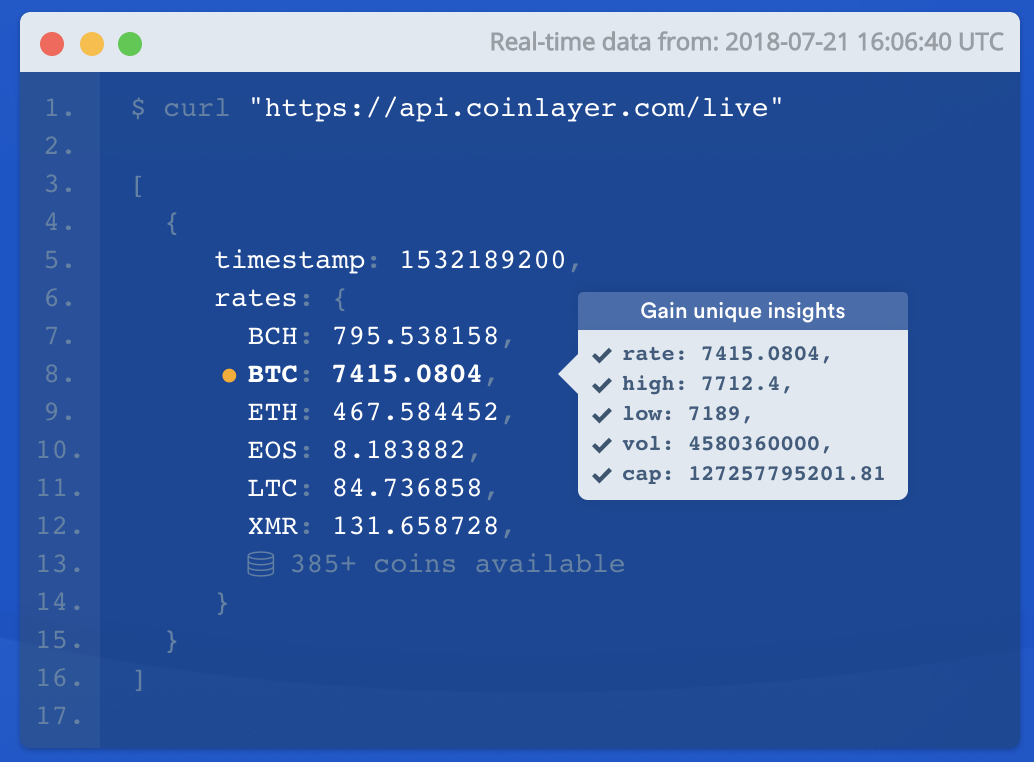
After getting your free API key, it's time to get started with querying the API for cryptocurrency rates. Let's use cURL to grab the most basic rate result:
curl https://api.coinlayer.com/live?access_key=YOUR_KEY
You'll get a simple listing of cryptocurrency values for USD, which is the default base currency:
{
  "success": true,
  "terms": "https://coinlayer.com/terms",
  "privacy": "https://coinlayer.com/privacy",
  "timestamp": 1529571067,
  "target": "USD",
  "rates": {
    // ...
    "ADL": 121.5,
    "ADX": 0.427854,
    "ADZ": 0.02908,
    "AE": 2.551479,
    "AGI": 0.12555,
    "AIB": 0.005626,
    "AIDOC": 0.02605,
    // ...
  }
}
You can request crypto rates by date with from and to parameters, even providing an amount of a given cryptocurrency to multiply:
curl https://api.coinlayer.com/convert?from=BTC&to=ETH&amount=1&access_key=YOUR_KEY
You can also request data from a given time frame in the case you want to build a chart or track your profit:
# It's been a good month :)
curl https://api.coinlayer.com/timeframe?start_date=2018-07-01&end_date=2018-07-24&symbols=BTC,ETH&access_key=YOUR_KEY

/*
{
  "success": true,
  "terms": "https://coinlayer.com/terms",
  "privacy": "https://coinlayer.com/privacy",
  "timeframe": true,
  "start_date": "2018-07-01",
  "end_date": "2018-07-24",
  "target": "USD",
  "rates": {
    "2018-07-01": {
      "BTC": 6903.113849,
      "ETH": 383.02749
    },
    "2018-07-02": {
      "BTC": 7111.72678,
      "ETH": 387.273437
    },
    "2018-07-03": {
      "BTC": 7490.777653,
      "ETH": 421.655884
    },
    [...]
  }
}
*/
You can get extended rate information, like volume, high, and low using this API endpoint:
curl https://api.coinlayer.com/change?start_date=2018-07-01&end_date=2018-07-24&symbols=BTC,ETH&access_key=YOUR_KEY

/*
{
  "success": true,
  "terms": "https://coinlayer.com/terms",
  "privacy": "https://coinlayer.com/privacy",
  "change": true,
  "start_date": "2018-07-01",
  "end_date": "2018-07-24",
  "target": "USD",
  "rates": {
    "BTC": {
      "start_rate": 6903.113849,
      "end_rate": 9245.982724,
      "change": 2342.86887,
      "change_pct": 1.33939305
    },
    "ETH": {
      "start_rate": 383.02749,
      "end_rate": 670.440229,
      "change": 287.412739,
      "change_pct": 1.75037105
    }
  }
}
*/
coinlayer goes the extra mile to provide support for JSONP:
// set endpoint and your API access key
const endpoint = 'live'
const access_key = 'YOUR_KEY';

// get the most recent exchange rates via the "live" endpoint:
$.ajax({
    url: 'https://api.coinlayer.com/api/' + endpoint + '?access_key=' + access_key,
    dataType: 'jsonp',
    success: function(json) {
        // exchange rata data is stored in json.rates
        console.log(json.rates.BTC);
    }
});
I love having a service that provides cryptocurrency rates I can trust to be secure, reliable, and flexible. APIs can be a nightmare but coinlayer's is so easy to use that you'll probably never need another crypto API again. If only every API was so excellent!