Contest: Cloudinary Style Transfer on CodePen!
Cloudinary provides web designers and developers the ability to do a huge number of operations, like resize, optimize, and format almost all media types, but my favorite parts of their service are the vast amount of visual transformations their API allows you to play with; you can see a great example of them in my Instagram-like Filters and Remote Fetch posts. Being able to make these artistic finishes simple with just a change of the URL is a joy and really produces a great work of art.
In the spirit of creating beautiful artwork from your (or your users') media, Cloudinary has teamed up with CodePen to bring you the Neural Artwork Style Transfer contest which features Cloudinary's awesome art style feature! Upload a style image, then upload a target image, and voila! You get an incredible, transformed work of art!
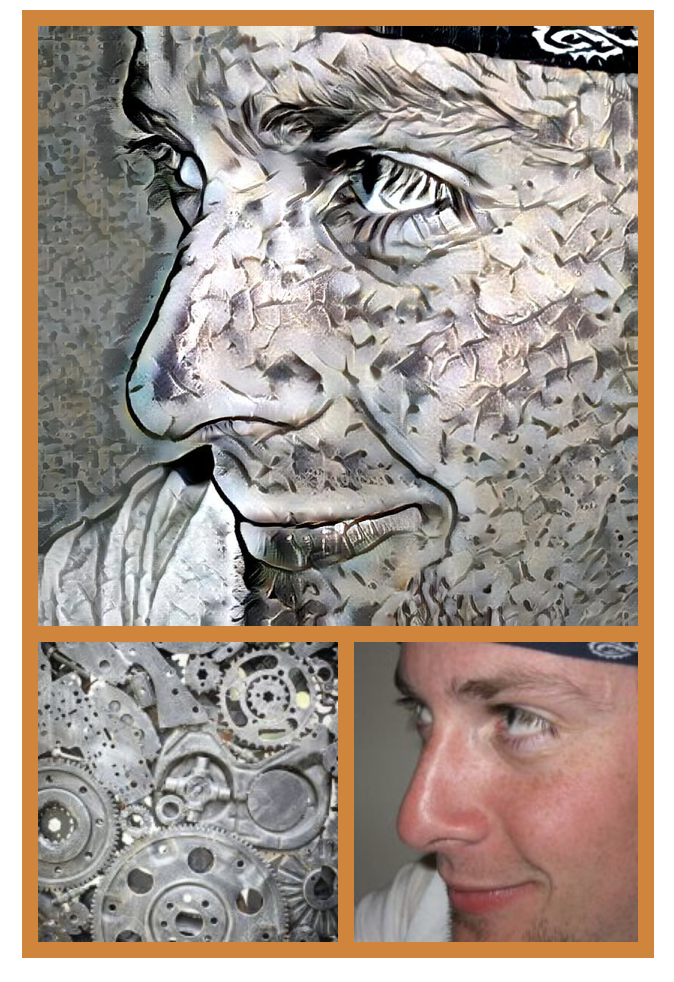
I call this: "Metal Gear Solid: Walsh Edition"
Hop over to Cloudinary's Neural Artwork Style Transfer Contest on CodePen by October 4th to create some amazing art by just uploading photos! Top prize gets a pair of Beats Solo3 Wireless headphones (I have these in red --- LIT!). And make sure to check out Cloudinary's amazing list of offerings, from transformations to optimization to delivery, Cloudinary is a developer's best friend!