Markup Tutorials
![Adding Events to Adding Events in MooTools]()
Adding Events to Adding Events in MooTools
Note: This post has been updated. One of my huge web peeves is when an element has click events attached to it but the element doesn't sport the "pointer" cursor. I mean how the hell is the user supposed to know they can/should click on...
![Image Protection Using PHP, the GD Library, JavaScript, and XHTML]()
Image Protection Using PHP, the GD Library, JavaScript, and XHTML
Warning: The demo for this post may brick your browser. A while back I posted a MooTools plugin called dwProtector that aimed to make image theft more difficult -- NOT PREVENT IT COMPLETELY -- but make it more difficult for the rookie to average user...


![WordPress-Style Comment Controls Using MooTools or jQuery]()
WordPress-Style Comment Controls Using MooTools or jQuery
WordPress has a nice little effect on the Admin Dashboard where it shows and hides the comment control links when you mouseover and mouseout of the record's container. Here's how to achieve that effect using MooTools or jQuery. The XHTML Notice that we place the links into...
![Add Site Screenshots for External Links Using MooTools Tooltips]()
Add Site Screenshots for External Links Using MooTools Tooltips
Before you send your user to an unknown external website, why not provide them a screenshot of the site via a tooltip so they may preview the upcoming page? Here's how you can do just that using MooTools. The MooTools JavaScript The first step is to grab...
![Google and the Canonical Link Rel]()
Google and the Canonical Link Rel
Google has introduced a link tag rel value of canonical which is used for defining the value of the page that Google should use. Why? Lets say you have an eCommerce site and one of the product URLs is: Imagine now that you can make...
-
![Firefox Extension Template]()
Firefox Extension Template
Creating a Firefox extension can be difficult if you don't know the files involved and how to structure your extension folder. Fear not -- I have created a very basic Firefox extension template file/folder structure for you to get your first plugin going. File & Folder...
![Create a Basic Web Service Using PHP, MySQL, XML, and JSON]()
Create a Basic Web Service Using PHP, MySQL, XML, and JSON
Web services are taking over the world. I credit Twitter's epic rise to the availability of a simple but rich API. Why not use the same model for your own sites? Here's how to create a basic web service that provides an XML...
![MooTools Zebra Table Plugin]()
MooTools Zebra Table Plugin
I released my first MooTools class over a year ago. It was a really minimalistic approach to zebra tables and a great first class to write. I took some time to update and improve the class. The XHTML You may have as many tables as...

![MooTools’ AutoCompleter Plugin]()
MooTools’ AutoCompleter Plugin
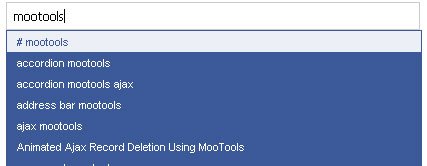
One of the famous MooTools plugins is Harald Kirschner's AutoCompleter plugin. AutoCompleter takes a term input by the user and searches for matches -- an obviously help to the user. Here's how to make the most of Harald's great plugin. The XHTML All we...
![MooTools FontChecker Plugin]()
MooTools FontChecker Plugin
There's a very interesting piece of code on Google Code called FontAvailable which does a jQuery-based JavaScript check on a string to check whether or not your system has a specific font based upon its output width. I've ported this functionality to MooTools. The MooTools...