Submit Button Enabling
"Enabling" you ask? Yes. We all know how to disable the submit upon form submission and the reasons for doing so, but what about re-enabling the submit button after an allotted amount of time. After all, what if the user presses the "stop" button immediately after submitting the form? They'd be screwed. Why not re-enable the submit button after an allotted amount of time so that the user may re-submit?
The MooTools JavaScript
window.addEvent('domready',function() {
		var subber = $('submit');
		subber.addEvent('click',function() {
			subber.set('value','Submitting...').disabled = true;
			(function() { subber.disabled = false; subber.set('value','Resubmit'); }).delay(10000); // how much time?  10 seconds
		});
	});
Of course, this isn't ideal in all situations. It is, however, a nice touch if your system can accommodate for it.
Update: Upon submission, the button's message changes to "submitting..." and once enabled, the message changes to "Resubmit." Thank you to Facundo Corradini for the suggestion!
![CSS Gradients]()
With CSS border-radius, I showed you how CSS can bridge the gap between design and development by adding rounded corners to elements. CSS gradients are another step in that direction. Now that CSS gradients are supported in Internet Explorer 8+, Firefox, Safari, and Chrome...
![5 More HTML5 APIs You Didn’t Know Existed]()
The HTML5 revolution has provided us some awesome JavaScript and HTML APIs. Some are APIs we knew we've needed for years, others are cutting edge mobile and desktop helpers. Regardless of API strength or purpose, anything to help us better do our job is a...
![CSS Selection Styling]()
The goal of CSS is to allow styling of content and structure within a web page. We all know that, right? As CSS revisions arrive, we're provided more opportunity to control. One of the little known styling option available within the browser is text selection styling.
![Xbox Live Gamer API]()
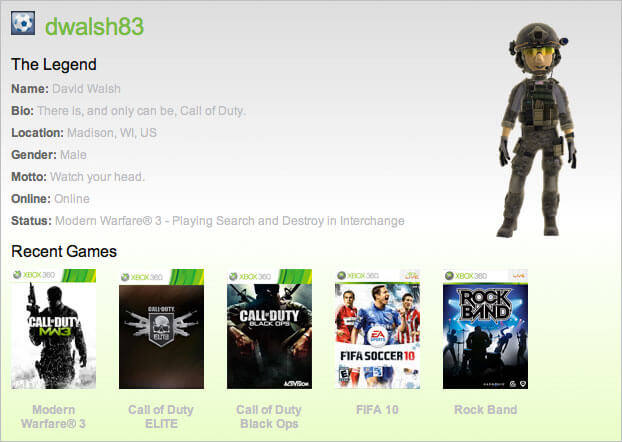
My sharpshooter status aside, I've always been surprised upset that Microsoft has never provided an API for the vast amount of information about users, the games they play, and statistics within the games. Namely, I'd like to publicly shame every n00b I've baptized with my...