Format Code Inside PRE Tags within TextMate Using PHP
Creating blog posts has been greatly sped up by the use of TextMate. I've created a bunch of blog formatting commands to do various operations on posts including adding paragraph tags, formatting headings, and generating content based on string templates. One of my favorites is a PHP function that html-entitizes (your word of the day) code with PRE tags.
The PHP
function replace_angles($matches) {
return str_replace($matches[1],htmlentities($matches[1]),$matches[0]);
}
$file = file_get_contents('php://stdin');
$file = preg_replace_callback('/<pre.*?>(.*?)<\/pre>/imsu',replace_angles, $file);
echo $file;
The first step is reading in the buffer's contents. The next step is using PHP to extract the PRE code and replace it with htmlentities(code). Mission accomplished! I use this frequently within my blog -- maybe you can too.
![Create a CSS Cube]()
CSS cubes really showcase what CSS has become over the years, evolving from simple color and dimension directives to a language capable of creating deep, creative visuals. Add animation and you've got something really neat. Unfortunately each CSS cube tutorial I've read is a bit...
![Introducing MooTools Templated]()
One major problem with creating UI components with the MooTools JavaScript framework is that there isn't a great way of allowing customization of template and ease of node creation. As of today, there are two ways of creating:
new Element Madness
The first way to create UI-driven...
![New York Times-Style Text Selection Widget Using MooTools or jQuery]()
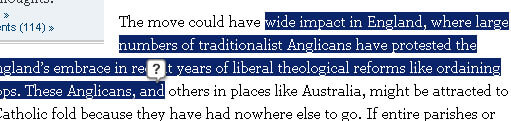
Aaron Newton made a great request to me last week: why not make my MooTools Documentation Bookmarklet function more like the New York Time's text selection widget. NYT's text selection widget listens for text selection and presents the user with a "search" icon...
![Highlight Table Rows, Columns, and Cells Using MooTools 1.2.3]()
Row highlighting and individual cell highlighting in tables is pretty simple in every browser that supports :hover on all elements (basically everything except IE6). Column highlighting is a bit more difficult. Luckily MooTools 1.2.3 makes the process easy.
The XHTML
A normal table. The cells...






Have you looked into using markdown in textmate instead? It’s already got a lot of what you’re talking about :D
hello Sir,
I would like to ask u some question. I tried to use htmlentities like that
htmlentities('hello', ENT_QUOTES);but it is not working. (also htmlspecialchars ) I would like to know how to do this problem.