Submit Button Enabling
"Enabling" you ask? Yes. We all know how to disable the submit upon form submission and the reasons for doing so, but what about re-enabling the submit button after an allotted amount of time. After all, what if the user presses the "stop" button immediately after submitting the form? They'd be screwed. Why not re-enable the submit button after an allotted amount of time so that the user may re-submit?
The MooTools JavaScript
window.addEvent('domready',function() {
		var subber = $('submit');
		subber.addEvent('click',function() {
			subber.set('value','Submitting...').disabled = true;
			(function() { subber.disabled = false; subber.set('value','Resubmit'); }).delay(10000); // how much time?  10 seconds
		});
	});
Of course, this isn't ideal in all situations. It is, however, a nice touch if your system can accommodate for it.
Update: Upon submission, the button's message changes to "submitting..." and once enabled, the message changes to "Resubmit." Thank you to Facundo Corradini for the suggestion!
![Animated 3D Flipping Menu with CSS]()
CSS animations aren't just for basic fades or sliding elements anymore -- CSS animations are capable of much more. I've showed you how you can create an exploding logo (applied with JavaScript, but all animation is CSS), an animated Photo Stack, a sweet...
![Facebook Open Graph META Tags]()
It's no secret that Facebook has become a major traffic driver for all types of websites. Nowadays even large corporations steer consumers toward their Facebook pages instead of the corporate websites directly. And of course there are Facebook "Like" and "Recommend" widgets on every website. One...
![WebSocket and Socket.IO]()
My favorite web technology is quickly becoming the WebSocket API. WebSocket provides a welcomed alternative to the AJAX technologies we've been making use of over the past few years. This new API provides a method to push messages from client to server efficiently...
![Duplicate the jQuery Homepage Tooltips Using MooTools]()
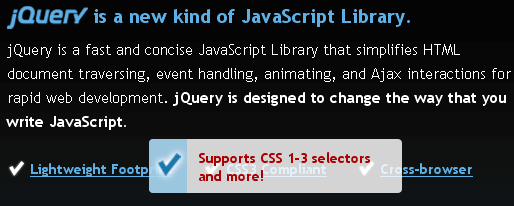
The jQuery homepage has a pretty suave tooltip-like effect as seen below:
Here's how to accomplish this same effect using MooTools.
The XHTML
The above XHTML was taken directly from the jQuery homepage -- no changes.
The CSS
The above CSS has been slightly modified to match the CSS rules already...