Submit Button Enabling
"Enabling" you ask? Yes. We all know how to disable the submit upon form submission and the reasons for doing so, but what about re-enabling the submit button after an allotted amount of time. After all, what if the user presses the "stop" button immediately after submitting the form? They'd be screwed. Why not re-enable the submit button after an allotted amount of time so that the user may re-submit?
The MooTools JavaScript
window.addEvent('domready',function() {
		var subber = $('submit');
		subber.addEvent('click',function() {
			subber.set('value','Submitting...').disabled = true;
			(function() { subber.disabled = false; subber.set('value','Resubmit'); }).delay(10000); // how much time?  10 seconds
		});
	});
Of course, this isn't ideal in all situations. It is, however, a nice touch if your system can accommodate for it.
Update: Upon submission, the button's message changes to "submitting..." and once enabled, the message changes to "Resubmit." Thank you to Facundo Corradini for the suggestion!
![Vibration API]()
Many of the new APIs provided to us by browser vendors are more targeted toward the mobile user than the desktop user. One of those simple APIs the Vibration API. The Vibration API allows developers to direct the device, using JavaScript, to vibrate in...
![fetch API]()
One of the worst kept secrets about AJAX on the web is that the underlying API for it, XMLHttpRequest, wasn't really made for what we've been using it for. We've done well to create elegant APIs around XHR but we know we can do better. Our effort to...
![MooTools ContextMenu Plugin]()
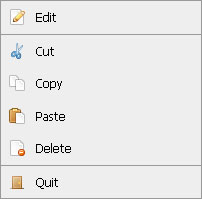
ContextMenu is a highly customizable, compact context menu script written with CSS, XHTML, and the MooTools JavaScript framework. ContextMenu allows you to offer stylish, functional context menus on your website.
The XHTML Menu
Use a list of menu items with one link per item. The...
![CSS :target]()
One interesting CSS pseudo selector is :target. The target pseudo selector provides styling capabilities for an element whose ID matches the window location's hash. Let's have a quick look at how the CSS target pseudo selector works!
The HTML
Assume there are any number of HTML elements with...