browser-illustration-2


Chances are that any Web designers using our Ghostlab browser testing app, which allows seamless testing across all devices simultaneously, will have worked with responsive design in some shape or form. And as today's websites and devices become ever more varied, a plethora of responsive images...
Firefox OS is all over the tech news and for good reason: Mozilla's finally given web developers the platform that they need to create apps the way they've been creating them for years -- with CSS, HTML, and JavaScript. Firefox OS has been rapidly improving...
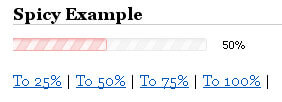
I love progress bars. It's important that I know roughly what percentage of a task is complete. I've created a highly customizable MooTools progress bar class that animates to the desired percentage. The Moo-Generated XHTML This DIV structure is extremely simple and can be controlled...
I recently posted an awesome (if I may say so myself) CSS3 / MooTools tutorials called Create a Photo Stack Effect with Pure CSS Animations or MooTools. The post presented two ways, a pure CSS method or MooTools-powered class, to duplicate Google+'s elegant photo stack...