
How to Patch Retry System into Super Mario ROMs
I find myself watching less TV lately and much more time enjoying gamers stream on Twitch. While I too much PUBG, and enjoy watching people like Shroud and ChocoTaco hit bangers, I get more enjoyment out of Grand Poo Bear, Barbarian, and others play ultra difficult Super Mario World ROM hacks.
I've written about how to patch ROM hacks to play the games, but I wanted to look at how ROM hack creators add features to their hack, like the super useful Retry system:
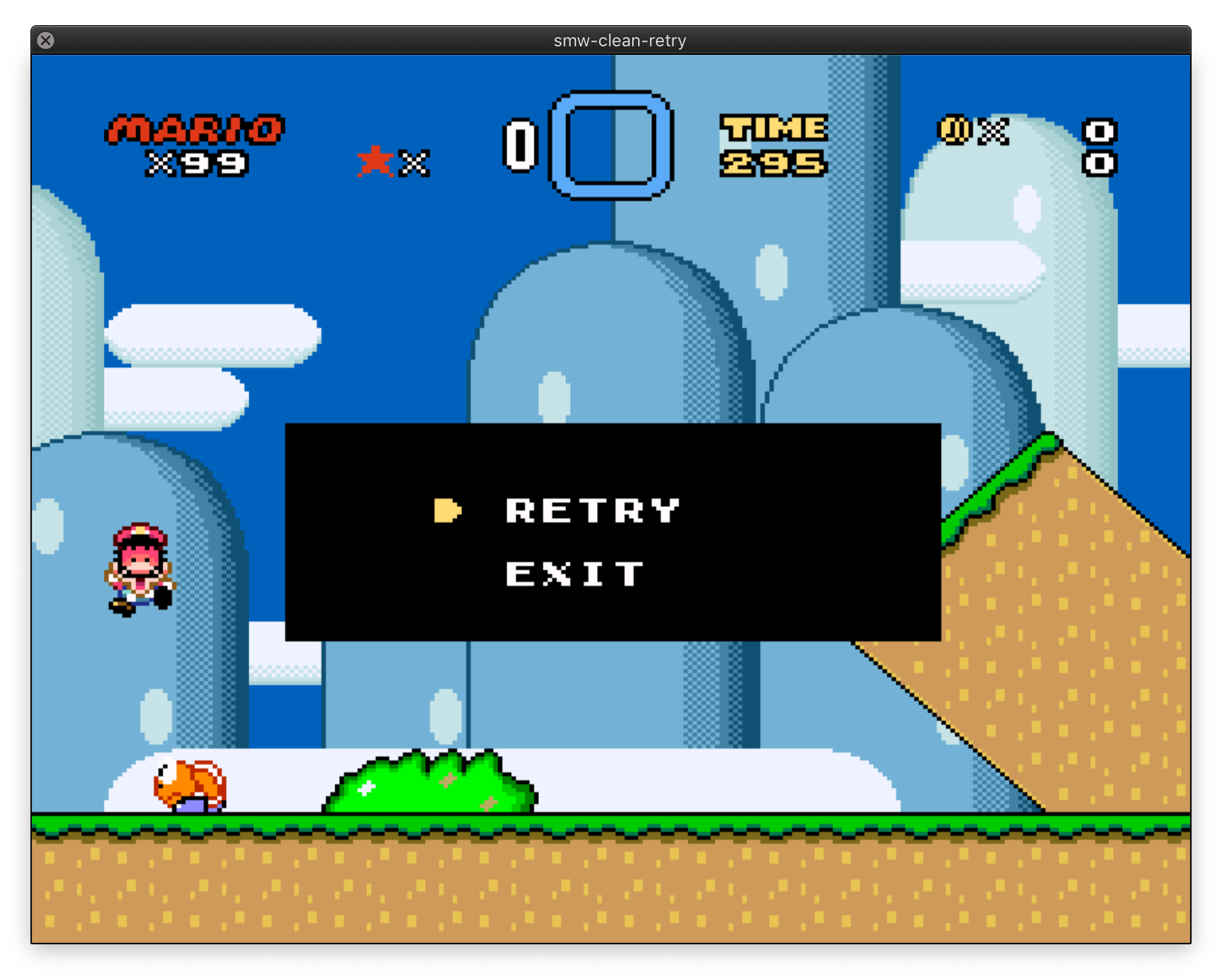
If you are creating a super difficult ROM hack, you want the player, who's probably already suffering, to quickly be able to retry without needing to go to the level select screen each time. Let's have a look at how you can add the features to your own ROM hacks!
Find Rom Hack Features
SMWCentral is a ROM player and hacker's paradise; download famous ROM hacks, feature patches, and more. For this example we'll be applying the Retry System patch.
Applying the Patch
There are a few different utilities available for patching features into your ROMS and each patch tells you which utility to use. The retry system requires Asar, so download that and unzip.
Next, copy your ROM's smc file and the Retry system's .asm files into Asar's directory:
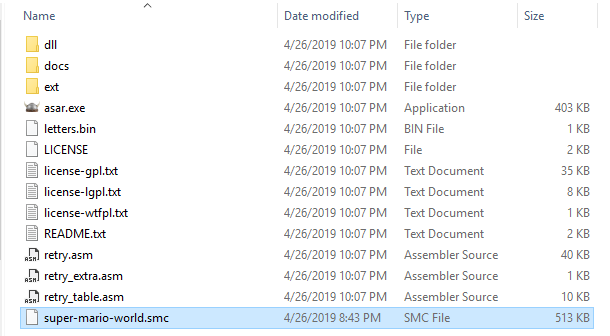
Double click Asar's exe file and you'll be asked for the ROM's file name as well as the patch's file name:

And you're done! Check out the amazing list of feature patches available for your ROM hack!
ROM hacks have breathed new life into the decades old games that I enjoyed as a kid. While I've not created ROM hacks of my own, I do enjoy patching the Retry system into existing hacks to enhance my playing experience!





Thank you so much for this easy to follow tutorial. I wanted to play Dram and Grand Poo World 1 but was bummed they didn’t have instant retry. Following your instructions I was able to patch in instant retry! This is a huge quality of life feature I wish all kaizo romhacks came with.