
MooTools HTML Police: dwMarkupMarine
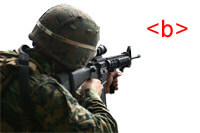
We've all inherited rubbish websites from webmasters that couldn't master valid HTML. You know the horrid markup: paragraph tags with align attributes and body tags with background attributes. It's almost a sin what they do. That's where dwMarkupMarine comes in. dwMarkupMarine is a small MooTools plugin you can bring into those awful pages to help highlight the mistakes you need to correct.
The MooTools 1.2 JavaScript
var dwMarkupMarine = new Class({

	//implements
	Implements: [Options],

	//options
	options: {
		tags: 'b, i, u, font, basefont, center, applet, dir, isindex, menu, s, strike, layer, xmp',
		attributes: 'caption[align!=""], iframe[align!=""], image[align!=""], input[align!=""], object[align!=""], legend[align!=""], table[align!=""], hr[align!=""], div[align!=""], p[align!=""], h1[align!=""], h2[align!=""], h3[align!=""], h4[align!=""], h5[align!=""], h6[align!=""], body[alink!=""], body[background!=""], table[bgcolor!=""], tr[bgcolor!=""], td[bgcolor!=""], th[bgcolor!=""], img[border!=""], object[border!=""], br[clear!=""], *[compact!=""], td[height!=""], tr[height!=""], *[hspace!=""], script[language!=""], body[link!=""], hr[noshade!=""], td[nowrap!=""], th[nowrap!=""], isindex[prompt!=""], hr[size!=""], *[start!=""], li[type!=""], ol[type!=""], ul[type!=""], li[value!=""], body[vlink!=""], *[vspace!=""], hr[width!=""], td[width!=""], th[width!=""], pre[width!=""]',
		mootools: '*[onblur!=""], *[onclick!=""], *[ondblclick!=""], *[onfocus!=""], *[onkeydown!=""], *[onkeypress!=""], *[onkeyup!=""], *[onload!=""], *[onmouseover!=""], *[onmousedown!=""], *[onmouseup!=""], *[onmouseout!=""], *[onmousemove!=""], *[onselect!=""], *[onsubmit!=""], *[onunload!=""]',
		checkTags: true,
		checkAttributes: true,
		checkMoo: true,
		custom: [],
		weapon: 'bad'
	},

	//initialization
	initialize: function(options) {
		this.setOptions(options);
		this.search();
	},

	//a method that does whatever you want
	search: function() {
		if(this.options.checkTags) { this.beat(this.options.tags); }
		if(this.options.checkAttributes) { this.beat(this.options.attributes); }
		if(this.options.checkMoo) { this.beat(this.options.mootools); }
		if(this.options.custom) { this.beat(this.options.custom); }
	},

	//tag the baddies
	beat: function(collection) {
		$$(collection).each(function(el) {
			el.addClass(this.options.weapon);
		}.bind(this));
	}
});
Here are the class options:
- tags: a string of HTML tags to look for.
- attributes: a string of element/attribute combinations to look for.
- mootools: a string of "on" events to look for. You're using Moo -- there's no need for those.
- checkTags: should the class look for bad tags?
- checkAttributes: should the class look for bad attributes?
- checkMoo: should the class look for "on" event attributes?
- custom: a string of custom selectors to look for.
- weapon: class to tag onto matches.
The Moo 1.2 Usage
//make it happen!
window.addEvent('load',function() {
	var mm = new dwMarkupMarine({
		weapon: 'bad'
	});
});
Do you have any use for this? Any ideas for improvement? Share them!






I think this could be a great class to add on to a CMS. Specifically when your clients are updating the site – If the preview showed invalid markup to be ugly as sin then the client might think twice.
David – amazing work!!!
If only we had a “virus” that could run this on all web pages. Ahhh, the day.
I think Adam, hit it right on the head. This would be awesome for a CMS. You should make the ‘bad’ class a little bit more bad, maybe something like magenta with flashing text.
i love mootools, but why use JavaScript when you can just use CSS to achieve the same goal?
Check out Eric Meyer’s Diagnostic CSS file: http://meyerweb.com/eric/tools/css/diagnostics/index.html
One tag I found sorely missing is embed. Everyone seems to think the way to put flash in is use the embed tag, but its useless and invalid!
You could use this as a bookmarklet too. That’s be neat.
@Philip: I created this using MooTools because I have future aspirations for it, like having a “correct” method that would, for example, replace [b] tags with [strong] tags.
@david: that would be pretty cool. :)