
Broken Link Checker
Broken Link Checker by Steven Vachon is an outstanding Node.js-powered utility for recursively checking for broken links on a website. Broken links lead to bad user experiences and mistrust -- two things that can cost you money and other types of conversion. The broken link checker has two methods of use: command line and a Node.js API.
Using Broken Link Checker from Command Line
Broken Link Checker can be used from command line if you install with Node.js:
npm install -g broken-link-checker
With the utility globally available, we can execute commands like this one to trigger broken link checking:
blc https://davidwalsh.name -ro
...which triggers a streaming list of results within your command line:
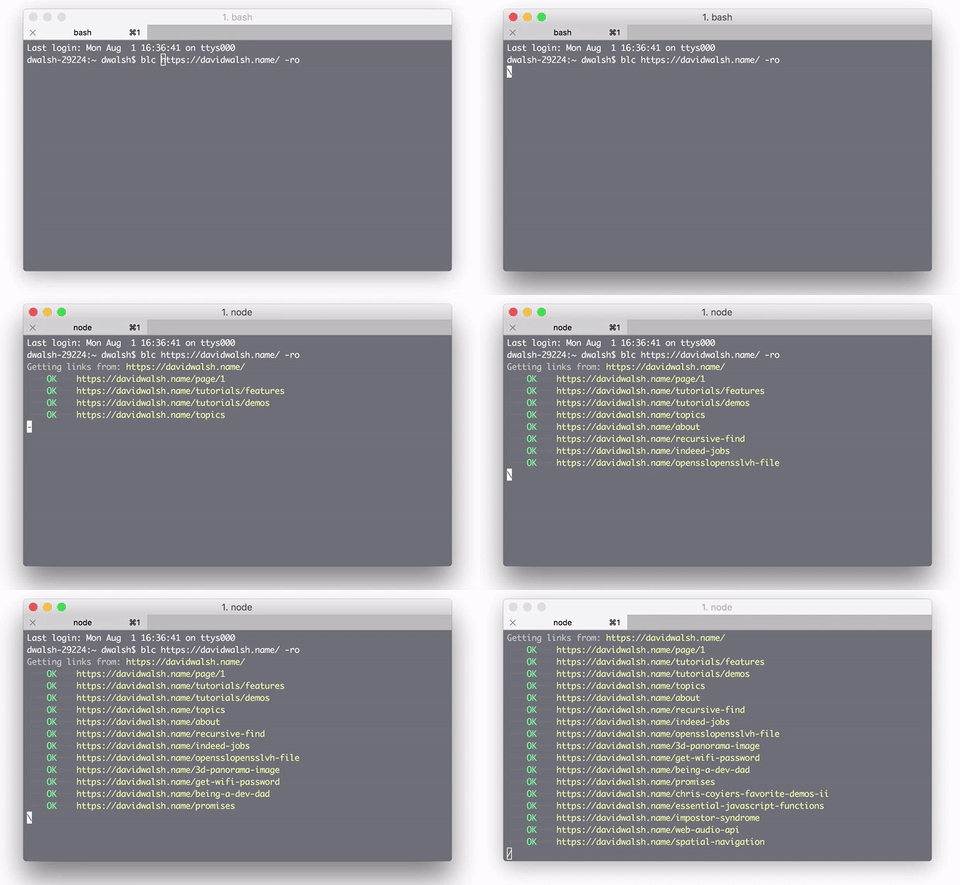
This is the fastest and easiest way to quickly check for broken links!
Programmatic Broken Link Checker Usage
Broken Link Checker allows you to use its awesome, highly customizable API to do your own automation of broken link checking. Here's a quick look at the API:
// Scans an HTML document to find broken links.
var htmlChecker = new blc.HtmlChecker(options, {
    html: function(tree, robots){},
    junk: function(result){},
    link: function(result){},
    complete: function(){}
});
htmlChecker.scan(html, baseUrl);

// Scans the HTML content at each queued URL to find broken links.
var htmlUrlChecker = new blc.HtmlUrlChecker(options, {
    html: function(tree, robots, response, pageUrl, customData){},
    junk: function(result, customData){},
    link: function(result, customData){},
    page: function(error, pageUrl, customData){},
    end: function(){}
});
htmlUrlChecker.enqueue(pageUrl, customData);

// Recursively scans (crawls) the HTML content at each queued URL to find broken links.
var siteChecker = new blc.SiteChecker(options, {
    robots: function(robots, customData){},
    html: function(tree, robots, response, pageUrl, customData){},
    junk: function(result, customData){},
    link: function(result, customData){},
    page: function(error, pageUrl, customData){},
    site: function(error, siteUrl, customData){},
    end: function(){}
});
siteChecker.enqueue(siteUrl, customData);

// Requests each queued URL to determine if they are broken.
var urlChecker = new blc.UrlChecker(options, {
    link: function(result, customData){},
    end: function(){}
});
urlChecker.enqueue(url, baseUrl, customData);

// Handle broken links
if (result.broken) {
    console.log(result.brokenReason);
    //=> HTTP_404
} else if (result.excluded) {
    console.log(result.excludedReason);
    //=> BLC_ROBOTS
}
This broken link checker API also allows for header and advanced options with everything from redirect management, keywords, cache options, and more. Broken Link Checker has everything!





I still find Xenu link sleuth to be really useful.
GUI rather than API but you get a handy report and essential info like the actual pages that contain the broken links so you can fix then rather than just redirect.
I use Xenu too all the time, but for a JS site it was not finding all of the links. I had to give it the landing pages and even then it only found a few issues. Website is built in SharePoint.
Yeah, that’s becoming more and more of a problem.
I’m glad you posted as I totally forgot about this and may need to use it soon.
I just hope it now shows you the pages where it found the broken links rather than just listing broken ones.
Thank you for this! Broken links also negatively effect ranking on Google.
Any idea how to generate an HTML report when running from command line?
the cli examples above should use long option names instead of short switches.
e.g.
–ordered instead of -o
–recursive instead of -r