Demos Tutorials
![Chris Coyier’s Favorite CodePen Demos IV]()
Chris Coyier’s Favorite CodePen Demos IV
Did you know you can triple-heart things on CodePen? We’ve had that little not-so-hidden feature forever. You can click that little heart button on any Pen (or Project, Collection, or Post) on CodePen to show the creator a little love, but you can click it again...
![prefers-color-scheme: CSS Media Query]()
prefers-color-scheme: CSS Media Query
One device and app feature I've come to appreciate is the ability to change between light and dark modes. If you've ever done late night coding or reading, you know how amazing a dark theme can be for preventing eye strain and the headaches that result.


![CSS Ellipsis Beginning of String]()
CSS Ellipsis Beginning of String
I was incredibly happy when CSS
text-overflow: ellipsis(married with fixedwidthandoverflow: hiddenwas introduced to the CSS spec and browsers; the feature allowed us to stop trying to marry JavaScript width calculation with string width calculation and truncation. CSS ellipsis was also very friendly to...![Vertically Centering with Flexbox]()
Vertically Centering with Flexbox
Vertically centering sibling child contents is a task we've long needed on the web but has always seemed way more difficult than it should be. We initially used tables to accomplish the task, then moved on to CSS and JavaScript tricks because table layout was horribly...
![Creating Spacers with Flexbox]()
Creating Spacers with Flexbox
I was one of the biggest fans of flexbox before it hit but, due to being shuffled around at Mozilla, I never had the chance to use it in any practice project; thus, flexbox still seems like a bit of a mystery to me. This greatly...
-
![Dynamic Waveform Visualizations with wavesurfer.js]()
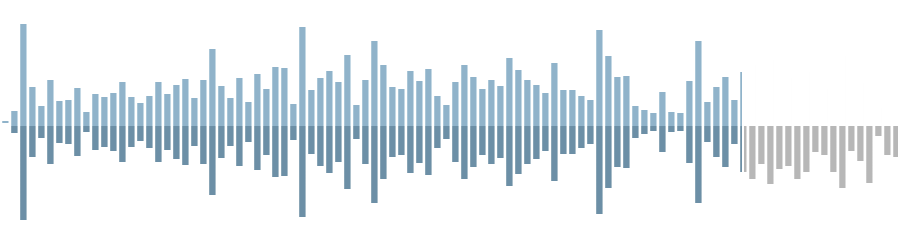
Dynamic Waveform Visualizations with wavesurfer.js
Waveform images are an awesome addition to boring audio widgets. They can be functional as well as aesthetically pleasing, allowing users to navigate audio visually. I recently found wavesurfer.js, an amazing waveform image utility that uses to Web Audio API to create super customizable...
![Chris Coyier: Some Amazing Work on CodePen III]()
Chris Coyier: Some Amazing Work on CodePen III
I'm back! David asked me to rope up some of my favorite stuff on CodePen again, which I both love doing, and wince at the thought of having to pick so few favorites. I like a ton of stuff on...
![Create Short Preview from Video]()
Create Short Preview from Video
Displaying a preview image before loading a video is common practice with web media these days; oftentimes that image preview is the video's first frame or an important frame from the video. If you've visited an adult site recently (ahem), you will have noticed that not only do you get a preview image...

![Reverse Element Order with CSS Flexbox]()
Reverse Element Order with CSS Flexbox
CSS is becoming more and more powerful these days, almost to the point where the order of HTML elements output to the page no longer matters from a display standpoint -- CSS lets you do so much that almost any layout, large or small, is possible. Semantics...
![JavaScript Copy to Clipboard]()
JavaScript Copy to Clipboard
"Copy to clipboard" functionality is something we all use dozens of times daily but the client side API around it has always been lacking; some older APIs and browser implementations required a scary "are you sure?"-style dialog before the content would be copied to clipboard -- not great for...